
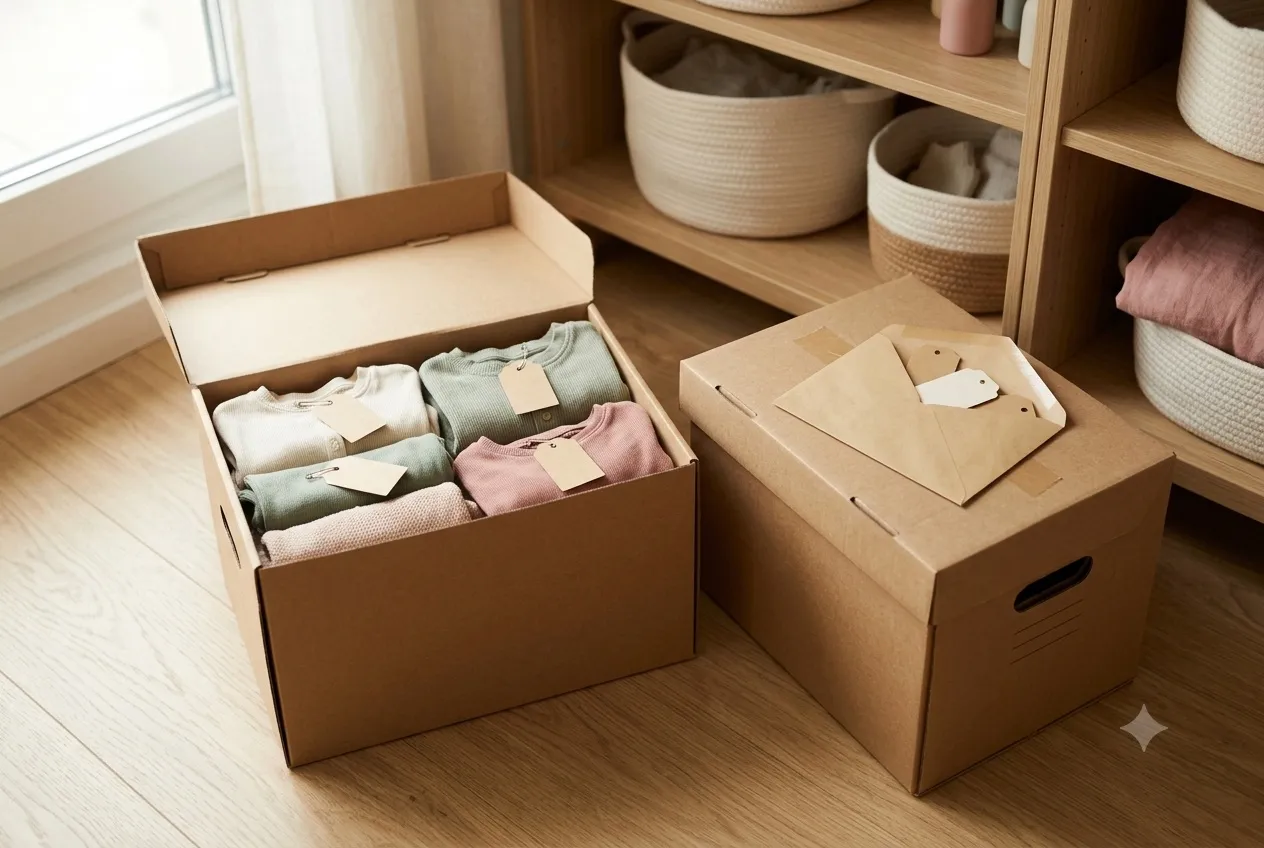
In short: Put two season boxes in the basement – spring/summer and autumn/winter. Every item that no longer fits is checked, washed, recorded in the app and labelled straight away; a second label goes into an envelope on the box lid. When the bazaar comes, you scan the envelope and have the whole box assigned in five minutes – without touching a single item.
There are two ways to experience a bazaar.
Almost everyone knows the first one: two weeks beforehand it dawns on you that something was coming up. You tip half the children’s wardrobe onto the bed, sort until midnight, invent prices half asleep, print labels the next evening and realize on Friday that half of it doesn’t suit the season anyway. It works. It just costs you a whole weekend and quite a lot of nerve.
I’ve seen the second way with families selling for the fourth or fifth time, and it is unspectacular to the point of being boring: two boxes sit in the basement. When something no longer fits, it goes in there – washed, recorded, label attached. When the bazaar comes around, they carry up the right box and are done in five minutes.
That isn’t talent. It’s a system, and it consists of exactly four moves you make anyway – just at a different moment.
The basic idea: the box is always ready
Children don’t outgrow their clothes twice a year, they outgrow them constantly. The mistake isn’t in the sorting out, it’s in the collecting: the discarded item ends up in a bag in the basement, and in October that bag is a pile of unanswered questions.
Instead: two fixed boxes, that’s all it takes.
- Spring/summer – short sleeves, light trousers, sandals, rain jacket, swimwear
- Autumn/winter – transitional jackets, waterproof trousers, wellies, fleece, snowsuits
Add a third if you like, for everything seasonless: toys, books, puzzles, building blocks. That one can come along to every date.
The one rule the whole system rests on: nothing goes into the box unchecked. If you’re holding an item anyway because it no longer fits, you decide right in that second – stain? Knees worn through? Cuffs stretched? Then textile recycling. Otherwise wash it, fold it, box.
The effect is bigger than it sounds. You make each decision once, with a clear head, instead of forty decisions on a Thursday evening. Why the box absolutely has to be sorted by season is covered in more detail in tip 3 of our seller guide.
Record every item straight away – not in October
Here’s the point where most people hesitate: recording sounds like work you can postpone.
You can. It just doesn’t get smaller that way, it gets worse. Typing in forty articles in one go is a slog, and the prices that come out of it are panic prices – either far too high because you remember what it cost new, or far too low because you just want to be finished. A single item, by contrast, held in your hand, is recorded in two minutes and priced realistically.
With MukiBasar: Under My things you create articles completely independently of any bazaar. You need neither a date nor a registration – just a name, a price and a category, optionally size and colour. The article number is assigned by the app. If you’re recording several items in a row, use Save & next: the form stays open and you work through the pile in one pass. The Not assigned filter shows you at any time what is still waiting for its bazaar.
A side effect many people underestimate: you know all year what’s in your boxes and roughly what it’s worth – without opening the basement.
Print the label and attach it immediately
A recorded article without a label is a half-finished article. So finish the job.
Collect a few weeks’ worth of recording and then print a batch of labels in one go – in MukiBasar 16 labels fit on one A4 sheet, an ordinary printer is entirely enough, and a label printer works too of course. Cut them out, attach them the way your organizer asks for – no pins through the fabric – and into the box.
From that moment, that item is done for the year. It lies in the box ready to sell and is only waiting for a date.
One limitation you should know about: the price on the label has to match the price in the app, otherwise the article won’t go through at the till. So if you decide in summer that the jacket should go cheaper after all – no problem, but print the label again. Details in the guide on labels.
Why print every label twice?
And now the move that makes the system genuinely fast.
Print every label twice. The first one goes on the garment, the second into an envelope or zip bag that you tape to the inside of the box lid. Two identical labels, one QR code, same article, same price.
The reason: when the bazaar comes, you don’t have to unpack the box at all. You take the envelope, scan the loose stack label by label and assign your entire box that way – without touching a single item, without folding everything back up.
That’s fast. It’s also the one place in this system where you have to work cleanly:
- If you give away, sell or dispose of an item, the loose label has to go with it. Otherwise you’re registering goods for the bazaar that no longer exist.
- If you reprint a label because the price changed, reprint both.
- Count once at the end: number of labels in the envelope = number of items in the box. If the numbers disagree, the box wins.
Because whatever you scan ends up on your article list – and you sign that at the drop-off desk. An item listed there but missing from the box will surface during setup at the latest. So if you’re not certain the envelope is still accurate: scan straight from the box. It takes ten minutes longer and it’s unassailable.
The bazaar arrives – and now it really is quick
Registration sent, approval in, and the bazaar page says “You’re in! 🎉”. This is the moment you’ve been working towards all year.
With MukiBasar: Tap Manage articles and switch to Scan mode. Allow the camera, hold it over the first label – ”… added”. Next label. Next. A box with forty items is assigned to the bazaar in a couple of minutes. No typing, no list, no searching.
The genuinely pleasant part isn’t the speed, it’s that you no longer have to think while scanning. The app checks every label immediately and tells you in plain language when something doesn’t fit:
| Message | What it means |
|---|---|
| … added | All good, the article is in. |
| … has already been added | Scanned twice – no harm, carry on. |
| This article is already in another bazaar | That item is registered somewhere else. |
| Label €… , currently €… – please reprint | Label and app price don’t match. |
| Overall limit reached | This bazaar’s maximum number of articles is full. |
| Limit for … reached | That category is full – e.g. “Clothing 10 / 10”. |
So you don’t have to memorize the article limit or keep count of how many toys are already in: the app stops you at the right place. And if the camera plays up or you’re on a train, there’s Select mode – search, filter, tap, done. Both are described in the guide on your participation.
After that the rest is routine: print the article list, sign it, box label on top, hand it in. The checklist before drop-off walks through it step by step.
After the bazaar the system simply carries on
The best part comes last, and it’s the real reason the effort pays off.
Whatever didn’t sell is back in your stock after the bazaar. The label is still attached, still valid, the article is still recorded. So you just put the items back into the seasonal box – and at the next date you scan them in again.
An item can run through two or three bazaars until it finds someone, without you ever having to handle it again. The effort happens exactly once: on the day it flew out of the wardrobe.
One thing is still worth doing between two dates: look at what came back. If the same jacket is left over twice, it’s rarely the jacket – it’s the price. After the sale the app shows you the average price of the items you sold and of the ones that came back, and tells you directly if your more expensive pieces keep returning. Adjust the price, print the label again, back in the box.
The whole year in five lines
- Ongoing: item no longer fits → check → wash → record in MukiBasar → print label → attach → seasonal box. Second label into the envelope on the lid.
- Registration opens: sign up before the numbers are gone.
- Approval in: fetch the envelope, scan, done – five minutes.
- Before drop-off: print and sign the article list, take the box label along.
- Afterwards: leftovers back into the box, rethink the prices, on to the next one.
That’s all of it. No weekend, no night shift, no pile on the bed.
Not sure when your next date is? Our bazaar overview lists bazaars near you including registration periods – useful to know when a box is already full in the basement.
And if you want to know what else counts between box and payout: the 12 tips for selling at a children’s bazaar walk through the whole path, from registration to pick-up.
Frequently asked questions
How many boxes do I need?
Two: one for spring/summer, one for autumn/winter. If you like, add a third for seasonless things like toys, books and puzzles – that one can come to every bazaar.
Why should I print every label twice?
The second label sits in the envelope on the box lid. At bazaar time you scan the loose stack and assign the whole box without unpacking it. Important: if you give away or discard an item, the loose label has to go too.
What happens to items that didn’t sell?
They stay recorded and the label stays valid. Put them back in the season box and scan them in again at the next bazaar. If the same item is left over twice, it’s usually the price – adjust it and reprint the label.