

In short: You sell mulled wine and bratwurst at the Christmas market, and anyone who spends at least €15 at your stand gets a card for the pre-registration to your spring bazaar. With it, they can register before registration opens to everyone. Here I’ll show you how to set that up in MukiBasar.
What is this about?
Many parent associations and school support clubs run a stand at the Christmas market during Advent. The money goes into the same pot as the bazaar, and often the same people are behind the counter.
At the same time, you know the problem in spring: the bazaar is popular, and as soon as registration opens, every spot is gone. Anyone who isn’t on their phone at the right moment misses out.
So why not combine the two? A small sign at the mulled-wine stand says:
“Spend €15 at our stand and get a card for early registration to our spring bazaar.”
That boosts sales at the stand, and your most loyal supporters get a spot at the bazaar before it fills up. €15 is roughly two mulled wines and a bratwurst: enough to make a noticeable difference, and still fair.
Important: MukiBasar doesn’t know what anyone spends at your stand. Your stand team decides who gets a card.
The timeline
| When | |
|---|---|
| Mulled-wine stand at the Christmas market | on the Advent weekends |
| Pre-registration | from the first market day to 31 January |
| Regular registration for everyone | from 1 February |
| Spring bazaar | mid-March |
Let the pre-registration start on the first market day. That way people can register from the sofa the same evening, before the card disappears into a coat pocket. And don’t make the period too short: some cards only turn up again after the holidays.
People with a code still shouldn’t wait too long: spots are limited, and first come, first served applies during pre-registration too.
How to set it up
- Dates: Open your bazaar, go to Dates and tap Add date. Choose Pre-registration as the type. The first time, “Pre-registration – unlock with the add-on” appears: Add pre-registration books the add-on at €9 per bazaar.
- Period: Enter the start and end of the pre-registration, in our example from the first market day to 31 January. The pre-registration has to end before regular registration starts.
- Print codes: Under Manage bazaar, tap the Pre-registration tile. In the overview, Print codes creates up to 200 codes at once, 8 cards per A4 page. Cut them out, put them in the cash box, done.
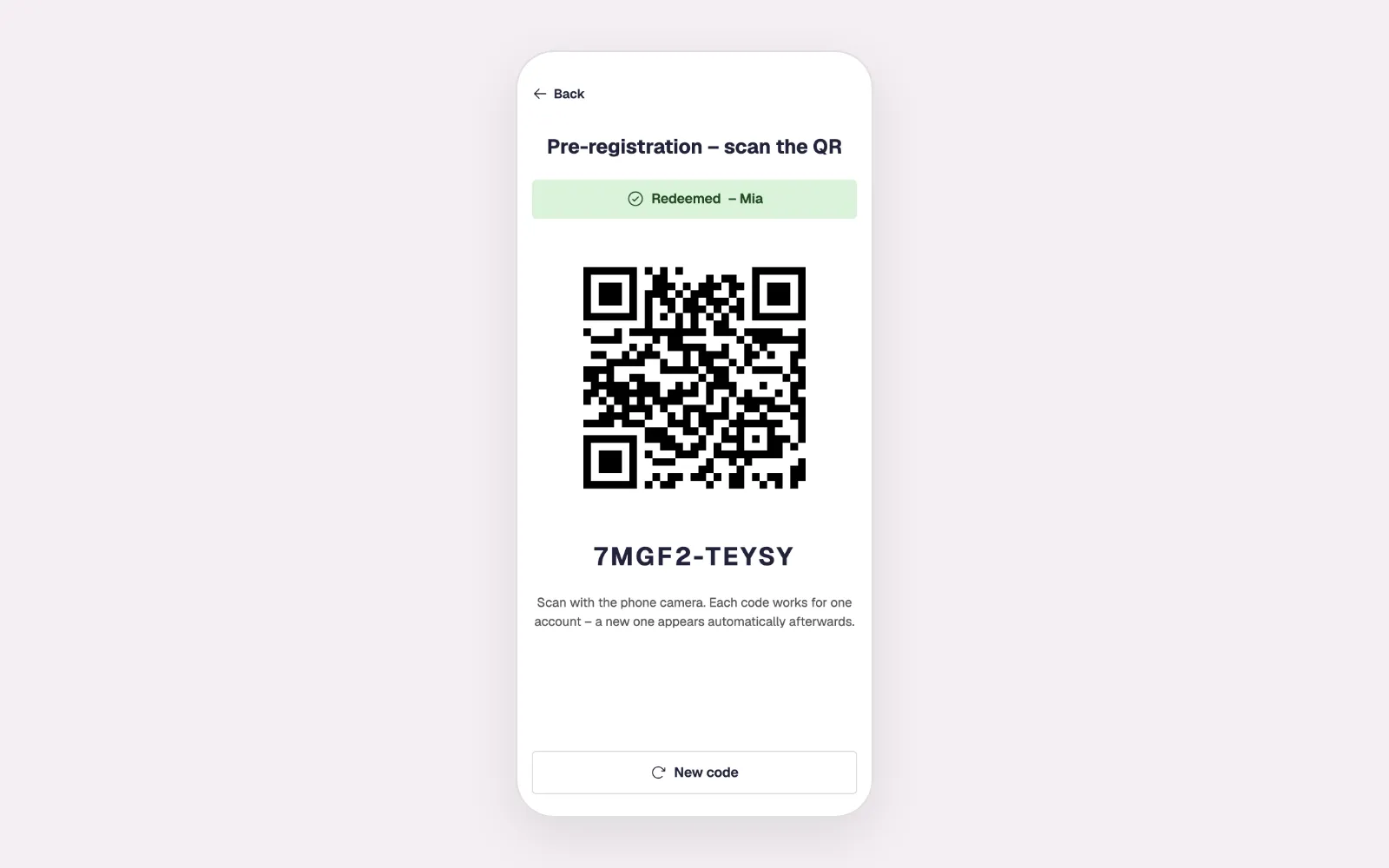
- Show QR on the phone: Open Show QR on the phone from the same overview. Your phone then always shows exactly one code. As soon as someone scans it, “Redeemed” briefly appears with their first name, followed right away by the next code.
- Approve: Registrations from the pre-registration land in your list as usual, marked Pre-registration. Approve pre-registrations confirms them.
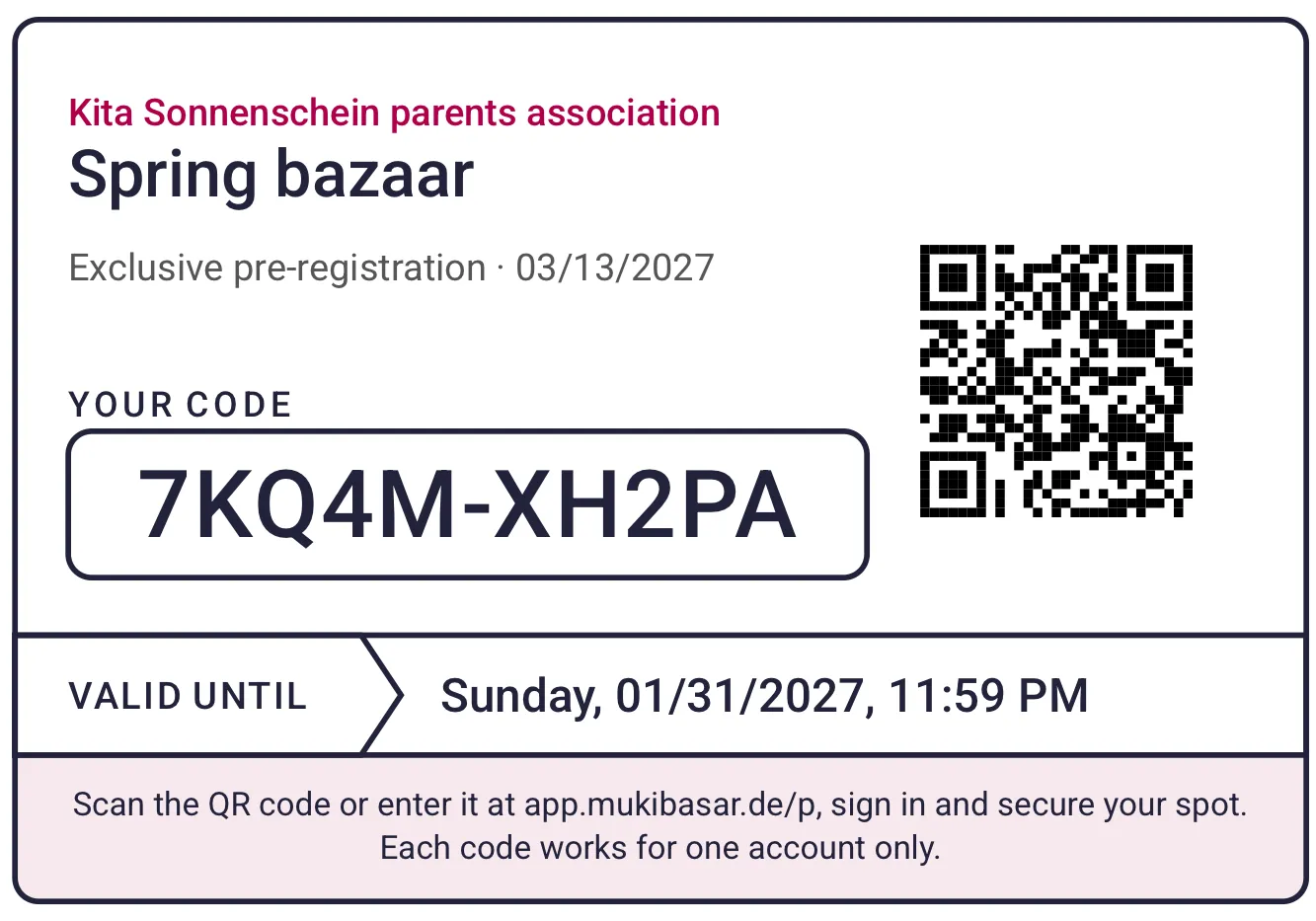
With MukiBasar: Only admins of your organization can show the QR on the phone and print codes. If someone without admin rights is working the stand, simply give the team a stack of printed cards.
Card or phone?
Ideally both:
- Printed cards are quick and need no signal. In the Friday-evening rush, just hand them out with the change.
- The QR on the phone suits quieter moments, or when you run out of cards. A photo of the screen is no use, by the way: each code works only once, and a new one appears every few minutes anyway.
If a printed batch gets lost, you can disable it under Reports. Codes that were already redeemed stay valid.
What your guests do
- They scan the QR code with their phone camera or enter the code at app.mukibasar.de/p.
- They sign in to their MukiBasar account. Anyone without one creates it right there. The code waits until they’re done.
- They see “Code redeemed” and tap Register now. That also works later from home, as long as the pre-registration is running.
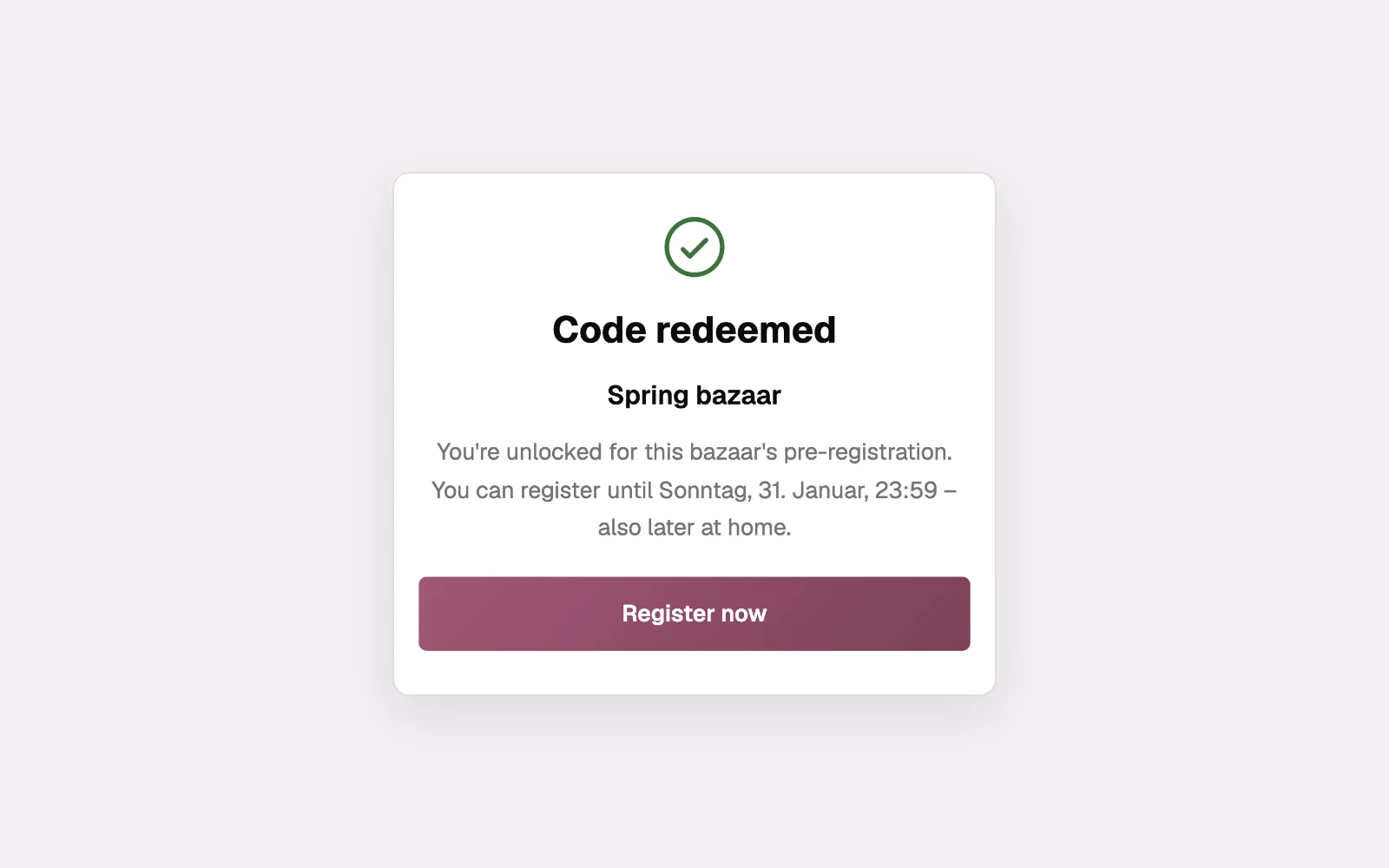
They need a free MukiBasar account anyway to register for the bazaar. After that, the code works for that one account only. So nobody can pass the card around or photograph it, and your pre-registration stays truly exclusive.
A line your stand team can use: “It’s free, takes a minute, and the code only works for you.”
Good to know
- Invisible to everyone else: Nobody but your team sees the pre-registration period. People without a code simply see “Registration opens on 1 February”.
- No gap: If there’s time between the end of the pre-registration and the start of regular registration, nobody can register during it.
- Expiry: Printed codes that nobody redeemed by the end of the pre-registration expire automatically.
- No signal at the stand: The QR on the phone needs internet. The printed cards always work.
You’ll also find the step-by-step setup in the pre-registration guide. What the add-on costs is listed on the pricing page.
Frequently asked questions
Can I let sellers in before regular registration opens?
Yes, with pre-registration. You add a period of its own before registration and hand out one-time codes. Only people who redeemed a code can register during that period.
What does pre-registration cost?
It’s an add-on at €9 per bazaar, on the Komfort plan as well.
Do buyers need an account?
Yes, a free MukiBasar account. They need one anyway to register for the bazaar. After that, the code works for that one account only.
Does MukiBasar check the minimum spend at the stand?
No. You and your stand team decide who gets a code.
What if there’s no signal at the stand?
Then hand out printed cards. The QR on the phone needs internet, the cards don’t.
Special thanks to the Basarfreunde Gebenbach, who came up with the idea of handing out pre-registrations for their bazaar at their Christmas-market stand. Thank you for sharing it with me!
I wish you a busy stand, a warm mulled wine and a spring bazaar that everyone is already looking forward to in Advent.
Best wishes Martin